When your phone can not connect to your router through WiFi or it stuck on the stage “obtaining IP address” then you have come to the right place.
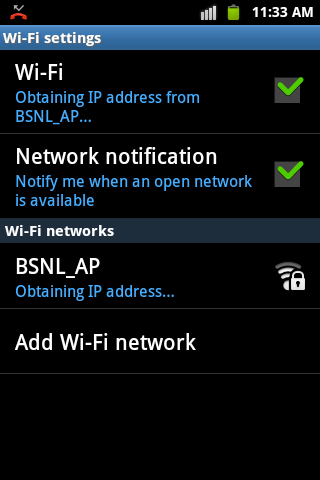
I don’t talk much so I will just go straight to the steps involve
If you already entered the WiFi password;
- Touch & hold the Wi-Fi network name.
- Tap Modify network.
- Next to “Advanced options,” tap the Down arrow
- Next to “IP Settings,” tap the Down arrow
. Select: “Static”
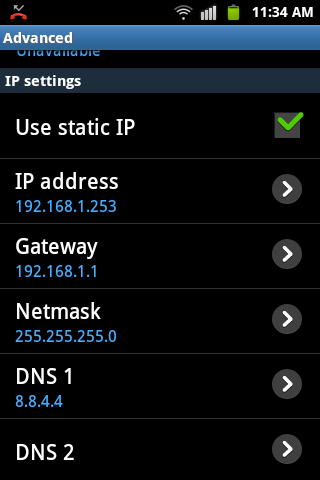
- Enter the IP Settings;
- IP address (the IP address of your router, normally; 192.168.1.128)
- Subset mask (255.255.255.0)
- Gateway (the default gateway address, normally; 192.168.1.1 or 192.168.0.1)
- Network prefix length (24)
- DNS 1 (8.8.8.8)
- DNS 2 (8.8.4.4)
8. Tap Save
 Wordify